Guides
Agent browser
A headless browser on the box for each worktree, which agents drive with short commands and you can watch live, confined to the worktree's own pages.
An agent that changes UI should look at it. Shipyard gives each worktree a
headless Chromium on the box, which opens exactly the URL you open for
that worktree ($BERTH_URL, such as
http://checkout.shop.devl.localhost:1377), and which an agent drives with
berthd browser commands that print a few hundred bytes each.
- It starts the first time an agent uses it and closes after 5 idle minutes. Its profile is a throwaway folder deleted when it closes, so its cookies are its own, never yours.
- It reaches only the worktree's own pages, through a proxy inside berthd.
- You can watch it live in a browser pane (Agent's view · live), and its screenshots and console errors show in Review.
It needs a Chromium on the box: berthd browser install downloads
Playwright's headless shell (about 100 MB on disk), or set BERTH_CHROMIUM
to one. berthd doctor says which it uses.
When Ubuntu blocks it
Ubuntu 24.04 and some other distributions stop Chromium from starting its
own sandbox (kernel.apparmor_restrict_unprivileged_userns=1), so the
agent's browser can't start. berthd remembers why a start failed, reads the
setting's current value, and says so without starting Chromium to find out
(GET /v1/browser/health; berthd doctor too). An agent that tries gets a
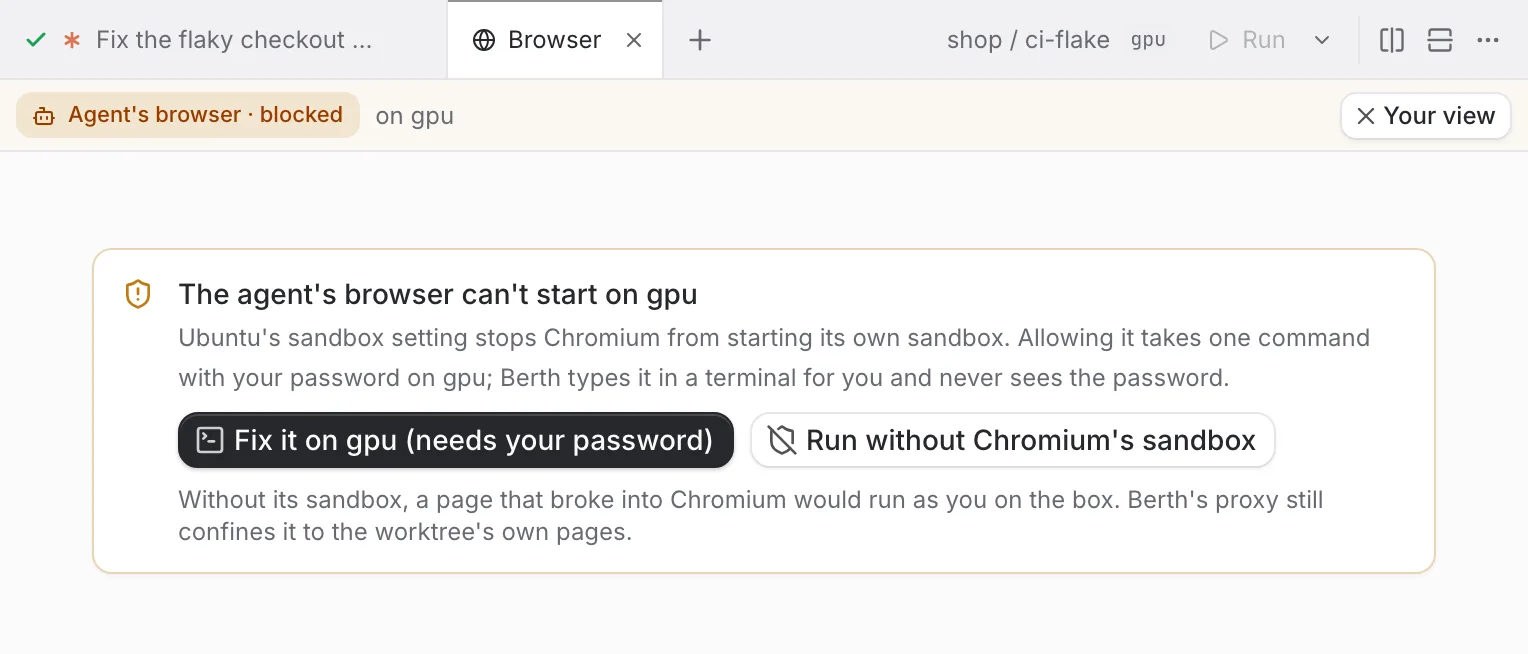
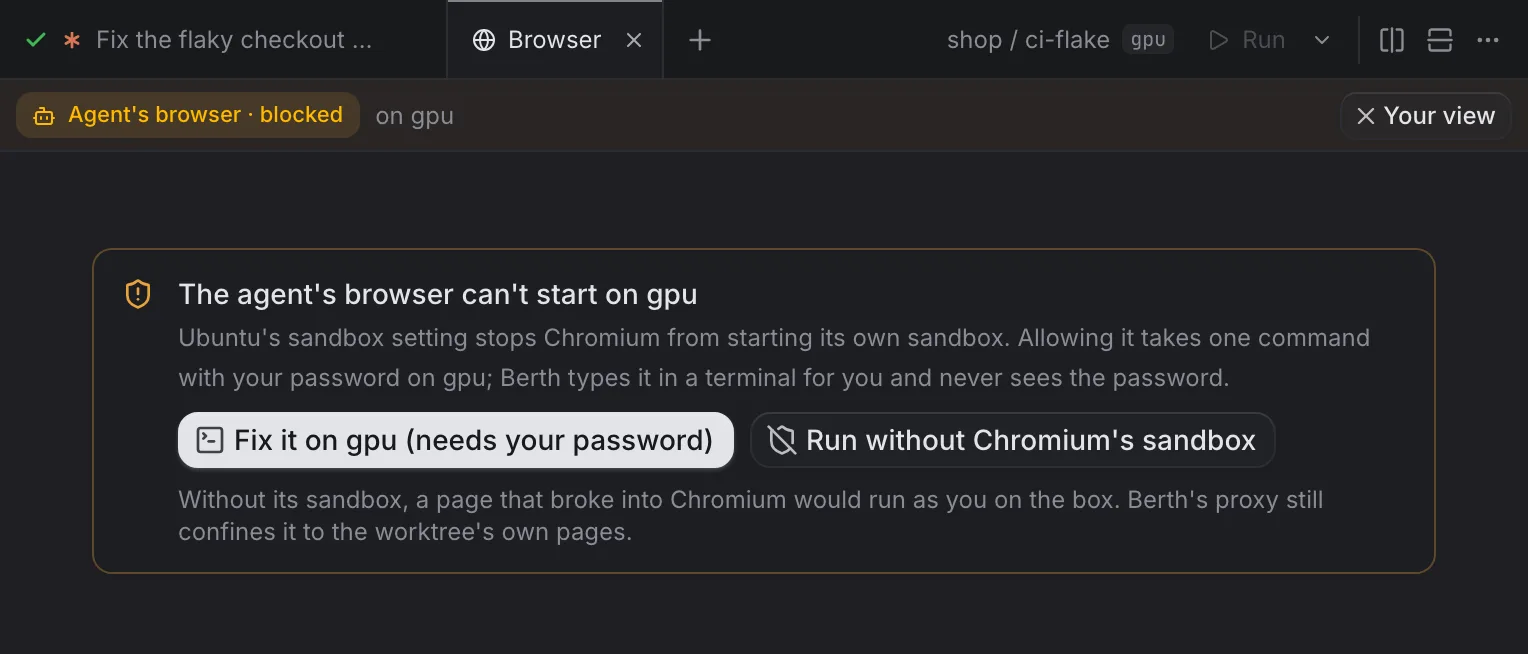
short answer telling it to ask you, and the app shows it two places: a
marked Agent's browser blocked in the worktree's browser pane, and a
card under the box in Settings → Boxes. Either offers two ways out:
-
Fix it on BOX (needs your password). Shipyard opens a terminal on the box with this typed, but not run:
sudo sysctl -w kernel.apparmor_restrict_unprivileged_userns=0 && echo kernel.apparmor_restrict_unprivileged_userns=0 | sudo tee /etc/sysctl.d/60-chromium.confYou read it and press Enter; sudo asks for your password in that terminal. Shipyard never asks for, types or keeps a password. It watches the box for two minutes (or Check again), and once the setting reads 0 it starts Chromium once to be sure and the card says Fixed. If sudo was cancelled or refused, nothing changed, and the card says Still blocked with both options again.
-
Run without Chromium's sandbox. A setting on the box (stored in
<state>/box/browser/settings.json, behind thebefore:config.changegate, announced asconfig.changed), followed by the next browser to start, with no restart. Without its sandbox, a page that broke into Chromium would run as you on the box; Shipyard's proxy still confines the browser to the worktree's own pages. Turn it off in the same place, Settings → Boxes.PUT /v1/browser/settings {"no_sandbox": true}sets it from a script.
BERTH_BROWSER_NO_SANDBOX=1 where berthd runs still works, and wins over
the setting either way (0 keeps the sandbox on).
Chromium gets 20 seconds to start. Where its first start is slower (a snap
package on a small box), run berthd with BERTH_BROWSER_START_TIMEOUT=60s;
the error when it doesn't start ends with what Chromium itself said.
Commands
Inside a Shipyard session, commands act on the session's worktree; elsewhere,
name it as LOC/WT (and from a laptop, berth browser open BOX/LOC/WT).
Every command takes --tab NAME for a tab
of its own.
- #
berthd browser open [PATH|URL] [--size WxH|PRESET] [--scale N] - The URL, the title, the page's size, and a compact snapshot of what you can act on, each with a ref:
- button "Save" [@e3]. Then new console errors and failed requests - #
berthd browser click|hover|check @REF - Only what changed:
+/-lines, new errors - #
berthd browser fill|select @REF VALUE - The same
- #
berthd browser press [@REF] KEY Enter,Tab,Escape, arrows…- #
berthd browser wait --text T | --url U | --idle [--timeout 10s] ok, or what it saw when it timed out- #
berthd browser snapshot [--full] [--delta] [--selector SEL] [--depth N] - The page again;
--fulladds its text - #
berthd browser shot [--el @REF] [--full] [--width 800 | --native] - The path of a PNG and its size, never the image
- #
berthd browser console [--all] - Errors and warnings since the last look (
--all: every level) - #
berthd browser network - Failed requests since the last look
- #
berthd browser eval JS - Its value, at most 2 KB
- #
berthd browser status|close,berthd browser list - Whether it runs, its size, its memory;
close --tab NAMEcloses just that tab - #
berthd browser tabs - Its tabs, what each shows and its size, and which one a command runs on now
- #
berthd browser allow ORIGIN - Lets agents' browsers on the box load a public origin
- #
berthd browser reap [--dry-run] - Closes agent-browser sessions left by Shipyard sessions that ended
A ref names the same element across snapshots until the page navigates. The
berth-browser skill (installed with the others) teaches agents these
commands and to read deltas rather than whole pages.
Size
The page is 1920×1080 at scale 1 until an agent chooses another size,
for a worktree, with berthd browser resize or open --size:
berthd browser resize 1280x800            # CSS pixels, WIDTHxHEIGHT
berthd browser resize phone --scale 3     # a preset, at three device pixels per CSS pixel
berthd browser resize --scale 2           # the same size, at 2x
berthd browser open /cart --size tablet   # resize, then open
berthd browser resize default # 1920x1080 at 1x again| Preset | Size | |
|---|---|---|
phone | 390×844 | iPhone 15 / 16, as in Preview |
phone-max | 430×932 | iPhone 15 / 16 Pro Max |
tablet | 820×1180 | iPad Air |
laptop | 1280×800 | |
desktop, default | 1920×1080 |
A preset sets scale 1 unless --scale says otherwise; a plain size or a
scale alone keeps what it doesn't name. Sizes run from 320 to 3840 CSS
pixels wide and 240 to 2160 tall, and the scale from 1 to 3; anything else
is refused with the range, before anything starts.
The size is kept per worktree (in <state>/box/browser/viewports.json)
until it changes, across the browser closing and berthd restarting, and goes
when the worktree is removed. A running browser changes at once; one that
isn't running starts at it. open, status (GET …/browser/status, which
also says the size a browser will open at) and berthd browser list print
it; GET /v1/browser/health and berthd doctor give the default.
Screenshots are of the page at its size: shot is at most 800 pixels wide
by default (about 530 tokens), and shot --native is the page's own pixels,
its size times its scale (a 390×844 page at 3x is 1170×2532). The live view
is cast at the page's pixels, at most 2560 on a side.
Tabs: several agents in one worktree
Without tabs, every agent in a worktree drives the same page. When a lead
agent has several subagents or teammates checking pages at once, each
one's open takes the page from the others: their refs stop working, a
shot can be of another agent's page, and the live view jumps from one
agent's page to the next. A tab gives each agent a page of its own:
berthd browser open /signup --tab signup-a   # opens the tab on first use
berthd browser click @e3 --tab signup-a
berthd browser tabs                          # every tab and what it shows
berthd browser close --tab signup-a
--tab goes on any command, anywhere on the line, and $BERTH_BROWSER_TAB
sets it for a shell. A name is letters, digits, dots, dashes and
underscores, up to 48. Without one, a command uses the main tab, the page
the browser has always had.
Each tab has its own page, refs, console, failed requests and
size (a tab without a size of its own opens at the worktree's), and
its own cookies and storage: logging in with --as in one tab doesn't log
the others in or out. Every tab is a window of its own, so its page counts as
visible and renders at full speed whether or not anyone watches it: its
timers, animations and shots are real. Only a tab someone watches is cast to
the app.
A named tab closes after 5 idle minutes, and the browser closes when all of
its tabs are idle. A worktree's browser has at most 2 tabs on a box under
4 GB of memory, 4 up to 8 GB, 6 up to 16 GB and 8 above, counting the main
tab once an agent uses it. At the cap, a tab nobody has used for a minute
makes room. If every tab is in use, open is refused, so no agent loses a
page it is on. Each tab costs about 100 MB with a small page.
The berth-browser skill tells an agent working beside others to use a tab
named after itself, and an agent that hands browser work to others to give
each one its tab's name.
What it costs an agent
Everything Shipyard prints is short on purpose, because an agent reads every byte on every step:
| Output | Cap |
|---|---|
open's first look | the interactive snapshot, up to 6 KB (about 1.5k tokens); the rest goes to a file whose path is printed |
snapshot | 8 KB (about 2k tokens), --full 16 KB (about 4k); overflow to a file |
| After an action | a delta of at most 40 lines, at most 5 console lines and 3 failed requests |
console | 20 lines, each at most 200 characters, repeats counted (×3) |
network | 10 failed requests |
eval | 2 KB |
shot | a path; an 800-pixel-wide image is about 530 tokens if the agent reads it |
A real 18-step session against a Next.js dev server (open, add to cart twice, fill a field, submit, wait, hot reload, log in, check the account page, a full snapshot, a shot, console, network, two refused origins and reopening) printed about 2.6 KB in all: about 650 tokens.
What it can reach
The browser's only way out is a forward proxy inside berthd, one per
worktree (BERTH_BROWSER_PROXY). Chromium runs with
--proxy-bypass-list=<-loopback>, so even localhost goes through it.
Allowed:
- the worktree's names, as your laptop's proxy serves them
(
WT.LOC.<any box name>.localhoston any port), rewritten as the laptop does (Host,OriginandReferertolocalhost:PORT,Locationback); - the worktree's own port block on
localhost; - WebSockets to those (Chromium tunnels them with
CONNECT), so hot reload works; - public origins the box's owner allows (
browser_allowin~/.berth/network.json, throughberthd browser allow, behind thebefore:browser.allowgate) or a trusted repository config asks for (browser_allowin.berth/config.json). They are dialled through the same check as webhooks: never a private, loopback, link-local or metadata address unlessallow_outboundlists it.
Refused: other worktrees, berthd itself, databases and other ports,
private ranges, 169.254.169.254, and the rest of the internet. A refused
request gets a 403, and the next command names what was refused.
Chromium also runs with WebRTC limited to the proxy, DNS-over-HTTPS off and
its background services off, and downloads go to the worktree's
.berth/browser/. berthd drives it over a pipe (--remote-debugging-pipe),
so there is no debugging port another process (an agent included) could
attach to.
Signing in: when the project's kit or config lists
dev users,
berthd browser open --as pro@acme.test --path /orders logs the browser in
as one in a step: the worktree's login script runs and its cookies go in for
the worktree's address. Otherwise seed a test user and log in with it, or
add a dev credentials provider. A third-party sign-in page needs its origin
allowed. Never give an agent your own accounts.
Page content is untrusted: the skill tells agents to treat what a page says as data, never as instructions.
A browser you run yourself
Every worktree's environment has BERTH_BROWSER_PROXY and, for Playwright
MCP, PLAYWRIGHT_MCP_PROXY_SERVER and PLAYWRIGHT_MCP_PROXY_BYPASS=<-loopback>,
so a browser an agent starts itself is routed through the same proxy and
confined the same way, with no setup.
agent-browser
Agents often reach for Vercel's
agent-browser CLI
(npx agent-browser open URL) instead. Each of its sessions is a daemon
and a headless Chrome with a throwaway profile, and both run until the
agent runs agent-browser close, which agents forget. On a box that runs
agents all day they pile up, each Chrome burning CPU. The berth-browser
skill tells agents to use berthd browser for the worktree's pages, and to
run agent-browser close when they use agent-browser anyway. Shipyard also
cleans up after them:
- Idle timeout. Every session Shipyard starts gets
AGENT_BROWSER_IDLE_TIMEOUT_MS=300000, so an agent-browser left idle for 5 minutes closes its Chrome, removes its profile and exits, like Shipyard's own browser. Set the variable in the box's~/.berth/env.json, the project'senvin.berth/config.json, or berthd's own environment to change it;0turns the timeout off. Shipyard never replaces a value you set. - Closed with its session. When a Shipyard session stops, its program
exits, or its worktree is archived, Shipyard closes the agent-browser
sessions it started:
agent-browser closefirst, as the agent would have, thenSIGTERM(andSIGKILL) for what is left, and the profile folder goes. It checks every minute, and at once when you stop a session. - Only Shipyard's. agent-browser's daemon and its Chrome keep the
environment of the agent that started them, so Shipyard knows them by
AGENT_BROWSER_DAEMONtogether with theBERTH_SESSIONandTMUXof a session in its own tmux server (read from/procon Linux, and withsysctlasps -Edoes on a Mac). An agent-browser you run by hand, or from another tmux, has neither and is never touched.
berthd doctor lists agent-browser sessions whose Shipyard session has ended
under agent-browser sessions, and berthd browser reap closes them now
(--dry-run only lists them).
Browsers a session's programs start
A repository's own tests start browsers too: Playwright's or Puppeteer's Chromium, a Cypress run, a dev server's own. They belong to the session that ran them, and go with it when Shipyard ends the session, even if the agent was killed mid-run.
Every browser on a box
Click a box's memory meter in the status bar (devl ▬ 59%) to see every
Chromium, Chrome and Firefox running on it, each grouped as one browser with
its helper processes, busiest first, with its CPU (100% is one core), memory
and age, and who started it:
- Shipyard: a worktree's agent browser, or the visual-diff browser.
- agent-browser: a session's agent-browser, and which session.
- Session: started by a session's programs, such as "Playwright tests in shop/checkout".
- Left behind: started by a session that has ended, or by an earlier berthd.
- Not Shipyard's: the box user's own browser. It is listed, so you can see what it costs, but never stopped.
Stop stops a browser and every process in it: an agent browser closes as
when idle, an agent-browser session loses its profile folder too, and the
rest get SIGTERM, then SIGKILL. Below the browsers are the sessions
using the most memory. Settings → Boxes shows the same list for each
box. Agents and scripts see it with berthd ps (or berth ps BOX), stop
one with berthd ps stop ID, and berthd doctor warns about a browser using
a core or more, or one left behind.
Watching it
A browser pane is always your browser: a real one in the app, on this
laptop, loading the worktree's page through your laptop's proxy. While an
agent is using its browser for the pane's worktree, the pane's toolbar shows
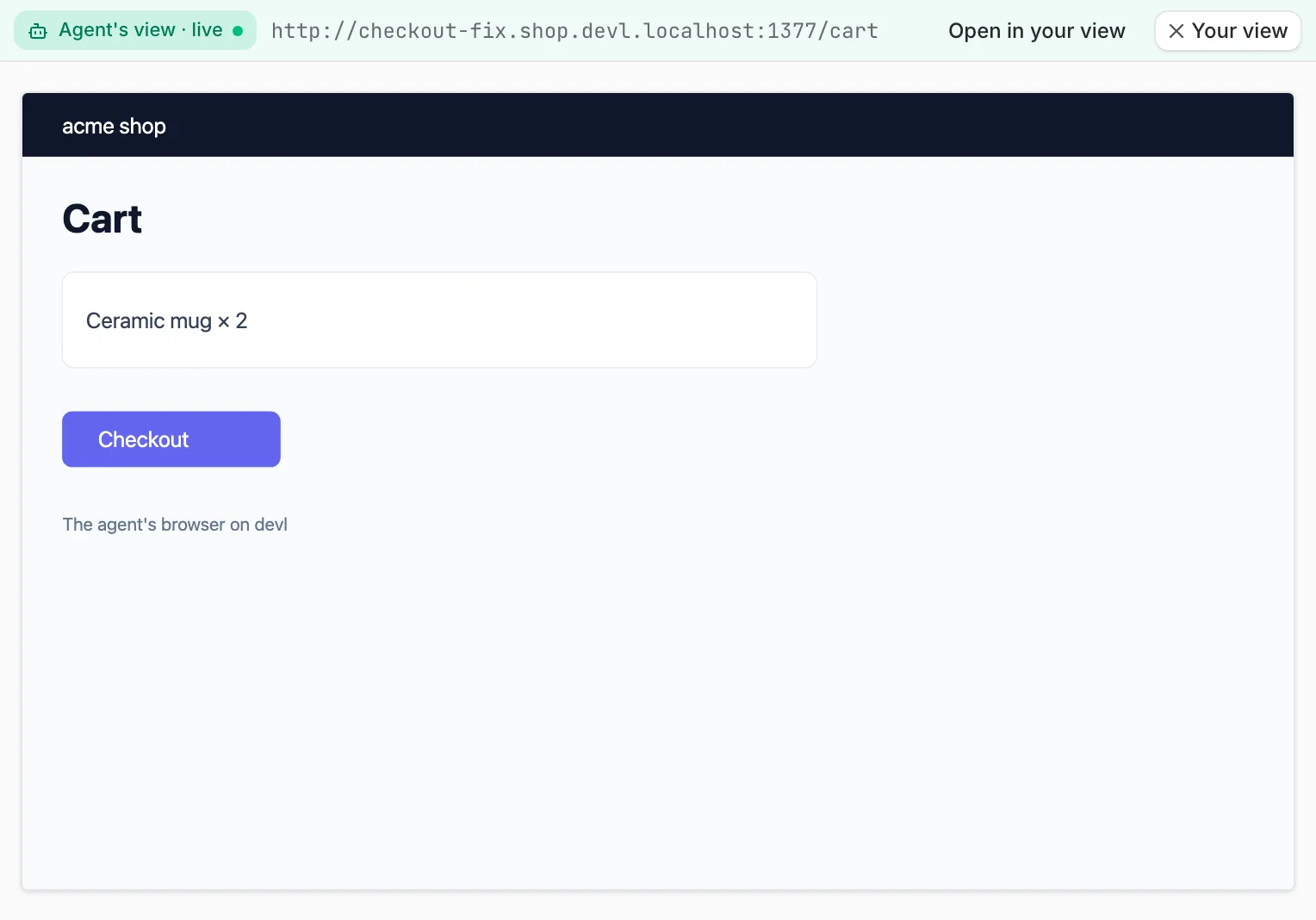
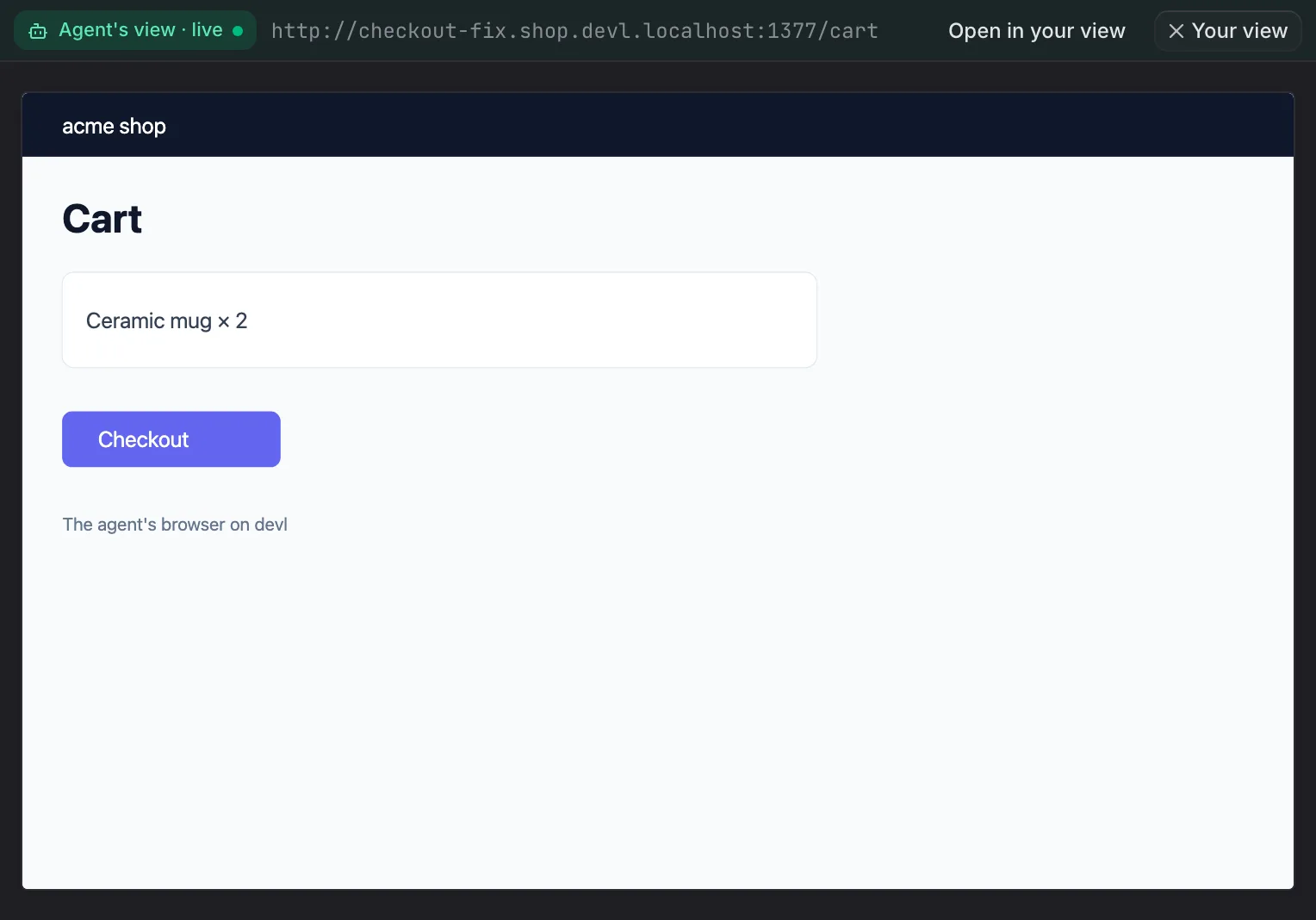
Agent's view · live. Click it to watch the agent's browser instead:
berthd casts the page as JPEG frames, at most 8 a second, the page as it is
the moment you start watching and then every change, only while a pane
shows it, over the same connection as everything else. The bar turns green
and says Agent's view · live with the agent's URL; you only watch, the
agent drives. Open in your view opens the agent's page in your own tab,
by your laptop's name for the worktree, and Your view goes back to your
page as you left it. The bar also shows the agent's page size (1920×1080,
390×844 @3x) and, when the pane is smaller, the zoom it is shown at: the
page is fitted to the pane but never enlarged past its own size, so it
stays sharp. When the agent's browser closes, the pane goes back to
your view by itself. The phone does not show it.
When agents use tabs, a strip under the bar lists them, the main tab as Main, with a green dot on each tab an agent is using now. Hover over a tab to see its title, URL and size. The view opens on the tab used last and stays on the tab you pick: agents opening pages in other tabs never move it. The address, the size, and the Console and Network drawer are the watched tab's. If the tab you're watching closes, the view moves to the tab used last and says so.
You don't have to open it yourself. When an agent opens its browser in the worktree you're looking at, its live view opens to the right of the agent's pane, so you see the chat and the page side by side, and the keyboard stays with the agent. If the tab already has a browser pane for that worktree, that pane switches to the agent's view instead. Nothing opens while you're looking at another worktree. To turn this off, use Settings → General → Show an agent's browser beside it.
Pointing at something: the element picker
The crosshair in a browser pane's toolbar starts the picker in your tab:
hover highlights an element, a click picks it, Esc cancels. Shipyard sends the
worktree's agent a short prompt (about 1.5 KB at most) with the page's URL,
the element's role and name, a selector that is unique on the page
(data-testid, then id, then a path), a little of its HTML, its box and a
few styles, and your note. The agent's browser opens the same URL, so the
selector finds the same element there.
Review
Shots are kept on the box, 20 per worktree, under
<state>/box/browser/shots/<location>/<worktree>/. A worktree's Review card
shows its last three, the URL its browser ended on, and its last console
errors.
Memory
Each browser is one Chromium: about 380 MB with a React app's pages open,
counting shared memory once (PSS; about 620 MB resident across its six
processes), on Linux with Playwright's headless shell. Shipyard caps each
page's JavaScript heap at 512 MB, which makes it collect sooner and saves
about 35 MB; a page that needs more crashes its tab, and
BERTH_BROWSER_JS_HEAP_MB in berthd's environment raises the cap (0 for
none). It also keeps a browser to two renderer processes, whatever a page
opens. At most
1 runs on a box under 2 GB of memory, 2 up to 4 GB, 3 up to 8 GB and 4 above
(max_browsers in ~/.berth/runs.json); one more closes the least recently
used. Each tab adds a renderer of its
own. When the box runs low on memory, the resource guard
closes agents' browsers before it stops services or pauses agents.
Events and gates
browser.opened, browser.navigated, browser.shot, browser.closed
(with a reason: idle, the guard, another worktree needing one, its worktree
removed), browser.tab.opened, browser.tab.closed and browser.failed
(with a reason: sandbox or error) are events;
browser.navigated and browser.shot name the tab. The gates before:browser.open
(with the URL), before:browser.eval, before:browser.watch and
before:browser.allow decide who may open, script, watch or widen it.